

Building and Configuring Asterisk: Essential IT Knowledge
Reading time: 4 minutes
What is Asterisk configuration? How to build a standard IT configuration? To better understand this, let’s explore the article below!
Configuring Asterisk
If you have questions about WebRTC compatibility with a specific Asterisk version, please direct those questions to the appropriate Asterisk support forums.
Setting up the Asterisk system
Asterisk and SIP.js have been tested using the following setup:
- CentOS 7.2 minimum (x86_64) Asterisk 16.9.0;
- OpenSSL 1.0.1e-fips February 11, 2013 or later;
- A public IP address to avoid server-side NAT scripts;
- Disable SELinux;
- Package requirements.
Install the following dependencies:
| wgetgccgcc-c++ncurses-devellibxml2-develsqlite-devellibsrtp-devellibuuid-developenssl-devel |
Installing Asterisk
cd /usr/local/src/.
- Download Asterisk using wget https://downloads.asterisk.org/pub/telephony/asterisk/asterisk-16.9.0.tar.gz.
- Extract Asterisk: tar zxvf asterisk*.
- Import the Asterisk directory: cd /usr/local/src/asterisk*.
- Run the Asterisk script configuration: ./configure –with-jansson-bundled.
- Run the Asterisk menuselect tool: make menuselect.
In the selection menu, go to the resources option and ensure that res_srtp and pjproject are enabled. If there are three x’s next to res_srtp, there is a problem with the srtp library and you must reinstall it. Save the configuration (press the x).
Compile and install Asterisk: make && make install.
If you need sample configuration, you can run make samples to install sample configuration. If you need to install the Asterisk startup script, you can run make config.
Setting up a DTLS certificate in Asterisk
Self-signed SSL certificates may be acceptable for development, but they will not work in a production environment. Let’s Encrypt is a great way to get a free certificate.
Self-signed certificate
mkdir /etc/asterisk/keys
Enter the Asterisk scripts directory: cd /usr/local/src/asterisk*/contrib/scripts.
Create a DTLS certificate (replace pbx.mycompany.com with your IP address or DNS name. Then, replace My Super Company with your company name): ./ast_tls_cert -C pbx.mycompany.com -O “My Super Company” -d /etc/asterisk/keys.
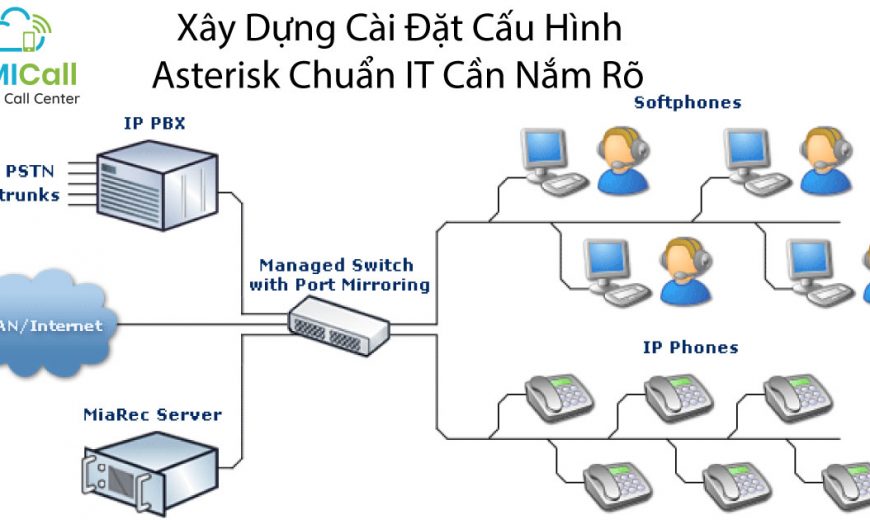
What is Asterisk Configuration?
Asterisk Configuration for WebRTC
For WebRTC, many of the necessary settings must reside within the peer settings. Global settings don’t flow down to peer settings very well. By default, the Asterisk configuration file is located in /etc/asterisk/. Start by editing http.conf and ensure that the following lines are not corrupted:
| ;http.conf[general]enabled=yesbindaddr=127.0.0.1 ; Replace this with your IP addressbindport=8088 ; Replace this with the port you want to listen ontlsenable=yestlsbindaddr=127.0.0.1:8089 ; Replace this with your IP addresstlscertfile=/etc/asterisk/keys/asterisk.pem |
Change the IP address and port to your server’s IP address and the port on which you want Asterisk to listen for web socket connections.
Next, edit sip.conf.
Here, you will set up two peer machines, one for the WebRTC client and one for the non-WebRTC SIP client. WebRTC peer requires encryption, avpf, and icesupport to be enabled. In most cases, directmedia should be disabled. Also in the WebRTC client, the transport needs to be listed as ‘ws’ to allow websocket connections. All these configuration lines must be under itself; setting these configuration lines globally may not work.
| ;sip.conf[general]realm=127.0.0.1 ; Replace this with your IP addressudpbindaddr=127.0.0.1 ; Replace this with your IP addresstransport=udp[1060] ; This will be WebRTC clienttype=friendusername=1060 ; The Auth user for SIP.jshost=dynamic ; Allows any host to registersecret=password ; The SIP Password for SIP.jsencryption=yes ; Tell Asterisk to use encryption for this peeravpf=yes ; Tell Asterisk to use AVPF for this peericesupport=yes ; Tell Asterisk to use ICE for this peercontext=default ; Tell Asterisk which context to use when this peer is dialingdirectmedia=no ; Asterisk will relay media for this peertransport=udp,ws,wss ; Asterisk will allow this peer to register on UDP or WebSocketsforce_avp=yes ; Force Asterisk to use avp. Introduced in Asterisk 11.11dtlsenable=yes ; Tell Asterisk to enable DTLS for this peerdtlsverify=fingerprint ; Tell Asterisk to verify DTLS fingerprintdtlscertfile=/etc/asterisk/keys/asterisk.pem ; Tell Asterisk where your DTLS cert file isdtlssetup=actpass ; Tell Asterisk to use actpass SDP parameter when setting up DTLSrtcp_mux=yes ; Tell Asterisk to do RTCP mux[1061] ; This will be the legacy SIP clienttype=friendusername=1061host=dynamicsecret=passwordcontext=default |
Finally, set up extensions.conf to allow the two colleagues to call each other.
;extensions.conf
[default]
exten => 1060,1,Dial(SIP/1060) ; Dialing 1060 will call the SIP client registered to 1060
exten => 1061,1,Dial(SIP/1061) ; Dialing 1061 will call the SIP client registered to 1061
Restart Asterisk using the service asterisk restart to ensure that the new settings take effect.
Troubleshooting in Asterisk
The WebRTC troubleshooting forum post is a great guide for issues when capturing with Asterisk.
The Asterisk secure calling guide can help you set up dtls certificates.
Source: sipjs.com
Contact us to help your business ASSERT ITS STATUS when choosing a virtual call center for your business.
VIHAT TECHNOLOGY Co., Ltd
Headquarters: ViHAT Building – 06 Street No. 16 (Him Lam Residential Area) – Hiep Binh Chanh Ward – Thu Duc District – Ho Chi Minh City
Hanoi Branch: Floor 15, LADECO Building, 266 Doi Can, Ba Dinh, Hanoi
Cambodia Branch: Thida Rath #154 St. 33MC, Sangkat Steung Meanchey, Khan Mean Chey, Phnom Penh

-
 What is TikTok advertising? Advertising policies and how it works.
-
 Exploring Conceptual Selling – Understanding Modern Sales Trends Correctly
-
 What is a KOC? Distinguishing between KOLs and KOCs.
-
 What Are Customer Insights? Revealing How to Effectively Uncover Them
-
 What is Digital Marketing? 10 Effective Forms of Digital Marketing
-
 What is Online Marketing? Types of Online Marketing